


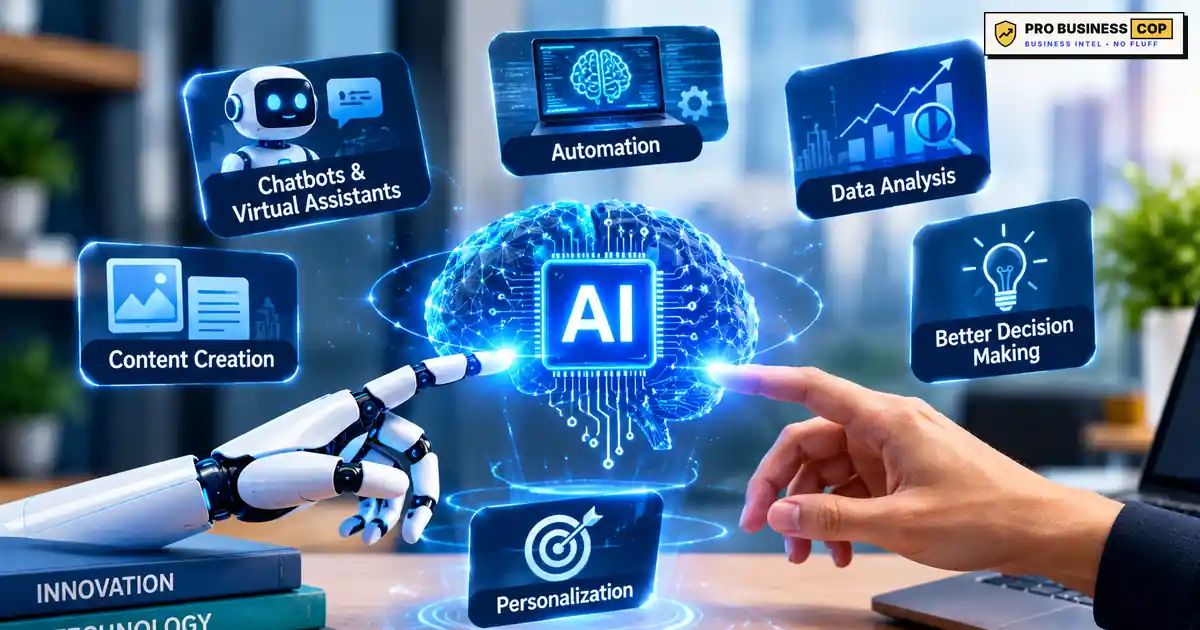
Artificial intelligence (AI) is software that learns from examples instead of following only fixed, hand-written rules. Feed it enough past data, and it can predict what comes next, sort information, answer questions or create new text and images. That is the whole idea behind tools as different as your bank’s fraud alert and ChatGPT.
Here is the part most people miss: you probably “started using AI” years before you ever typed a prompt. Your email’s spam filter, your card’s fraud alert and the map app that reroutes you around a crash all run on AI. The new wave of chat tools simply made it visible.
At Pro Business Cop, we put business buzzwords under investigation. This guide explains what artificial intelligence really is, how it works, where it falls short, what the new federal “super intelligence” label means, and how a small business can put AI to work safely. Everything here is written for owners and managers, not engineers. For more practical playbooks, visit the Pro Business Cop homepage.
What Is Artificial Intelligence, in Plain English?
The simplest useful definition: artificial intelligence is a computer system that learns patterns from data and uses them to make predictions, recommendations or decisions.
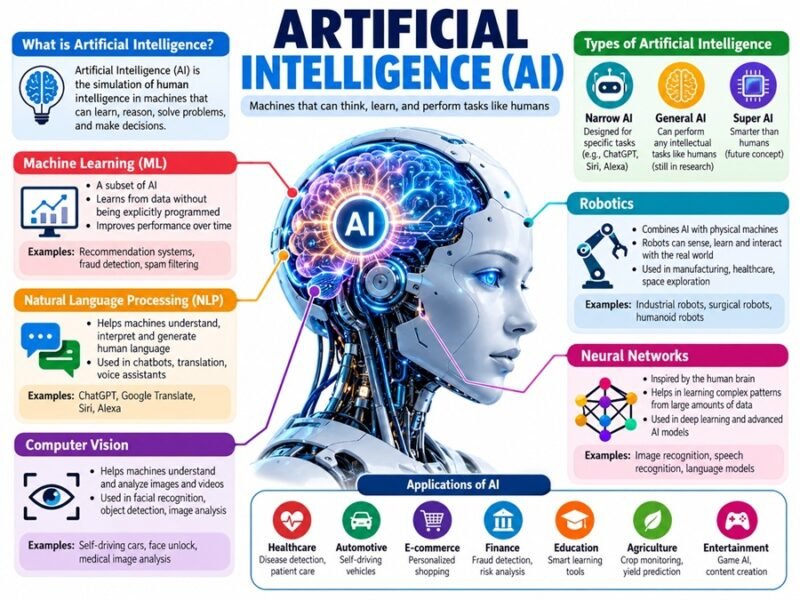
US federal law says nearly the same thing in more formal words. Under 15 U.S.C. 9401(3), AI is “a machine-based system that can, for a given set of human-defined objectives, make predictions, recommendations or decisions influencing real or virtual environments.” Notice the phrase “human-defined objectives.” People set the goal; the system finds patterns to reach it.
Researchers also sort AI by how capable it is:
| Type | What it means | Does it exist today? |
|---|---|---|
| Narrow AI | Excellent at one kind of task, like spotting fraud or writing text | Yes, every AI tool you use today |
| General AI (AGI) | Could learn and reason across almost any task, like a person | No, it remains a research goal |
| Superintelligence (ASI) | Would outperform humans at nearly everything | No, it is theoretical |
So when someone says an AI tool “thinks,” they are speaking loosely. Today’s systems do not understand the world or have intentions. They are extremely good pattern matchers, which is powerful and also the reason they make the mistakes covered later in this guide.
How Does Artificial Intelligence Work?
Strip away the jargon and most AI follows three steps.
- Data goes in. The system studies a huge number of examples: past transactions, emails, photos, sentences or sensor readings.
- Patterns are learned. During training, the system adjusts millions or billions of internal settings until its guesses match the examples as closely as possible. In modern systems those settings live inside neural networks, layers of simple math units loosely inspired by the brain.
- Predictions come out. Given something new, it applies those patterns and produces its best guess: “this email is spam,” “this charge looks unusual” or “the next words in this answer should be…”
A useful comparison: imagine training a new hire by having them read 10,000 past customer emails along with the replies your best employee sent. Eventually they could draft decent replies on their own. They would also, sometimes, confidently reply in a way that sounds right but is wrong, because they learned what good answers look like, not what is actually true in every case.
That is exactly how AI behaves. It predicts what a correct answer probably looks like. Most of the time that works remarkably well. Sometimes it produces a polished, believable answer that is simply made up.
AI vs Machine Learning vs Deep Learning vs Generative AI vs AI Agents
These terms get used interchangeably, and that causes real confusion when you are comparing tools or reading vendor pitches. Here is how they fit together.
| Term | What it is | Everyday example | Small business example |
|---|---|---|---|
| Artificial intelligence | The umbrella term for systems that learn and make predictions | Voice assistants | Any “smart” feature in your software |
| Machine learning | The main method: learning patterns from data | Netflix recommendations | Predicting which customers may cancel |
| Deep learning | Machine learning using many-layered neural networks; powers computer vision (images) and natural language processing (text and speech) | Face unlock on your phone | Reading text from photos of receipts |
| Generative AI | Deep learning models, such as large language models (LLMs), that create new text, images, audio or code | ChatGPT, image generators | Drafting quotes, emails and social posts |
| AI agents | AI that can plan steps and take actions in other software, not just answer | Booking a table through an assistant | Scheduling a service call and sending the confirmation |

Think of it as nesting circles: deep learning sits inside machine learning, which sits inside AI. Generative AI and agents are newer uses built on deep learning.
You Already Use AI Every Day: 8 Familiar Examples
If AI still feels abstract, these everyday tools make it concrete. Each one is making a prediction.
- Email spam filters predict which messages are junk before you see them.
- Card fraud alerts predict when a purchase does not match your normal pattern.
- Map apps predict traffic and reroute you around delays.
- Streaming recommendations predict what you will want to watch next.
- Autocorrect and text suggestions predict the word you meant to type.
- Voice assistants turn your speech into text and predict what you are asking for.
- Photo search recognizes faces, pets and places so you can search “dog” or “beach.”
- Customer service chat on retail and airline sites predicts the right answer to common questions.
The lesson for business owners: AI is not a single product you buy, and most of these examples are predictive AI quietly working in the background. It is a capability that shows up inside software you already use, and increasingly inside the tools you are about to buy.
“Artificial Intelligence” or “Super Intelligence”? The New Federal Label
If you have visited a federal website recently, you may have noticed “super intelligence” or “SI” where you expected “artificial intelligence.” Here is what changed and what did not.
What happened: On September 29, 2026, the President signed Executive Order 14434, “Inaugurating the Era of Super Intelligence.” It directs federal executive agencies to use “Super Intelligence” and “SI” in place of “Artificial Intelligence” and “AI” in official correspondence, public communications, websites, reports and other non-statutory documents, to the extent permitted by law. NASA, for example, now publishes a page titled “What is Super Intelligence?”
What it does not do: – It does not describe a new technology. The order defines “Super Intelligence” by pointing to the existing legal definition of artificial intelligence in 15 U.S.C. 9401(3). – It does not require changes to earlier regulations, contracts, grants or other past documents. – It does not apply to private businesses or the public. You can keep saying “AI,” and so can your customers.
The order also asks the White House science office to propose new legislative language for a federal definition, so watch for possible changes in the future.
Why it matters to your business: if you apply for federal grants, bid on government contracts or read SBA and agency guidance, expect to see “SI” in those documents. It refers to the same technology this guide describes.
How US Businesses Actually Use Artificial Intelligence
AI adoption sounds universal if you read tech news. The official numbers tell a more grounded story. According to the US Census Bureau’s Business Trends and Outlook Survey:
| Business size | Share using AI (period ending May 3, 2026) |
|---|---|
| All US businesses | 19.8% |
| 250 or more employees | 37% |
| 100 to 249 employees | 32% |
| 4 or fewer employees | Less than 20% |

The same survey found 20% to 23% of businesses expected to use AI within the next six months. In other words, AI adoption among small businesses is still early, which means the ones that adopt it carefully can still gain an edge.
A worked example (hypothetical): picture a six-person HVAC company in Phoenix, Arizona. Summer is brutal, phones ring nonstop and the owner spends evenings on paperwork. Here is where AI earns its place:
- Quotes: the owner dictates job notes, and an AI writing tool turns them into a clean, branded quote in minutes. The owner checks prices before sending.
- After-hours chat: a website chat tool answers common questions (“Do you service heat pumps?” “What’s your emergency fee?”) from an approved FAQ and books callbacks.
- Review replies: AI drafts personalized thank-you replies to Google reviews, and the office manager edits and posts them.
- Service notes: technicians record voice memos, and AI summarizes them into the job file so the next tech knows the history.
None of these replace the technicians. This kind of business automation gives back hours of office time during the busiest season, a real productivity gain without new hires.
Common small business uses at a glance:
| Task | Typical tool category | Potential benefit | Risk level |
|---|---|---|---|
| Drafting emails, quotes and posts | Generative AI writing tools | Saves writing time | Medium: check facts and prices |
| Answering routine customer questions | Chatbots trained on your FAQ | 24/7 responses | Medium: needs clear limits and a human handoff |
| Bookkeeping categorization | AI features in accounting software | Faster month-end | Low to medium: review flagged items |
| Meeting and call summaries | Transcription and summary tools | Better notes, less typing | Medium: get consent to record |
| Marketing ideas and ad copy | Generative AI | Faster testing | Medium: check claims for accuracy |
| Hiring screens | AI resume tools | Faster shortlists | High: bias and legal risk |
Marketing is one of the most popular starting points, since drafting and testing copy is where generative AI shines. If you want the bigger picture of what marketing covers before you automate parts of it, start with our guide on what marketing really means. To pick AI tools for small business without overspending, see the small business tool stack on Pro Business Cop, which lists the software categories (accounting, email, CRM, design) where AI features now come built in.
What AI Gets Wrong: Hallucinations, Bias and Privacy
Every AI tool has limits, and knowing them is what separates businesses that benefit from AI from the ones that get burned by it.
Hallucinations. An AI hallucination is a confident, well-written answer that is false. It happens because the model predicts what a good answer looks like rather than looking up a verified fact. Google’s own guidance on AI-generated content now calls it critical to manually fact-check AI output before publishing, because generative models “don’t retrieve facts” but predict likely words. A business example: a chatbot tells a customer your shop offers a 90-day warranty when your real policy is 30 days. The customer screenshots it, and now you have a dispute.
Bias. AI learns from historical data, and historical data can carry unfair patterns. A resume-screening tool trained on past hires may quietly favor the kinds of people a company hired before. That is a fairness problem and potentially a legal one.
Data privacy. Anything you paste into a public AI tool may be stored or used according to that tool’s terms. Never paste customer personal information, passwords, payment details, employee records or confidential financials into a tool unless you have checked its data policy and your plan’s settings.
A 4-step “check before you trust” routine: 1. Verify every fact, number and price against your own records or an official source. 2. Ask where it came from. If the tool cannot point to a source, treat the claim as unconfirmed. 3. Keep a human on anything customer-facing, including quotes, policies and public replies. 4. Strip sensitive data before you paste anything into an AI tool.
For a deeper framework, the National Institute of Standards and Technology published the voluntary AI Risk Management Framework in January 2023. It is written for organizations of any size and is a solid reference if you are building an internal AI policy or a broader responsible AI approach.
Myths vs Evidence About Artificial Intelligence
Bad assumptions about AI cost owners time and money. Here is what the evidence actually says.
| The myth | The evidence | Source |
|---|---|---|
| “Every business already uses AI.” | About one in five US businesses reported using AI as of May 2026. | US Census Bureau BTOS |
| “AI is only for big companies.” | Big firms adopt faster, but many AI features now come built into everyday software small businesses already pay for. | Census BTOS by firm size |
| “AI output is accurate by default.” | Generative models predict likely words and can produce errors, which is why fact-checking is required. | Google Search Central guidance |
| “AI will replace all jobs.” | BLS projects declines in some routine roles but growth in many others, including skilled trades. | BLS Occupational Outlook Handbook |
| “AI understands what it says.” | Today’s systems are narrow pattern matchers; general AI does not exist yet. | Industry and research consensus |
We bust plenty of other expensive business myths in our business myths, busted case files.
US Rules Every Business Using AI Should Know
There is no single federal “AI law” for small businesses, but existing rules already apply when you use AI.
Truth in advertising still applies. The Federal Trade Commission has made clear there is no AI exemption from consumer protection law. In September 2024 it announced “Operation AI Comply,” a set of enforcement actions against companies using AI hype or AI tools to deceive customers. If you claim your product “uses AI to guarantee results,” you need evidence for that claim. The FTC’s business guidance on AI is the best place to check current expectations.
Fake reviews are banned, including AI-written ones. The FTC’s rule on consumer reviews and testimonials prohibits fake reviews, explicitly including those generated by AI. Using AI to draft genuine replies to real reviews is fine; using it to invent reviews is not.
Privacy laws follow your data. If you serve California residents, the California Consumer Privacy Act gives them rights over the personal information you collect, including data you feed into AI tools. Other states have their own privacy laws, so check where your customers live.
Federal terminology is changing. As covered above, federal agencies now say “Super Intelligence” in official communications. That affects how government documents read, not what private businesses must do.
This section is general information, not legal advice. Rules change and vary by state, so talk to a qualified attorney before using AI in hiring, lending, health or any other high-stakes decision. Have a specific question about AI and your business? Ask the Cop, and we may turn it into a full investigation.
A 30-Day AI Starter Plan for a Small Business
You do not need a tech team or a big budget to start. You need one clear task, one tool and a way to measure the result.
Week 1: Pick one repetitive task. List the tasks that eat the most time each week, such as writing quotes, answering the same customer questions or summarizing calls. Choose one that is frequent, low-risk and easy to check.
Week 2: Test one tool. Start with AI features already inside software you pay for, or a free tier of a well-known tool. Not sure which category to look in? Our small business tool stack is a quick starting map. Run it on real (non-sensitive) examples and compare the output with what your team would have produced.
Week 3: Write a one-page AI policy. Cover three things: which tools staff may use, what data must never go into them, and who reviews output before it reaches a customer. A simple policy prevents most of the problems in the risks section above.
Week 4: Measure and decide. Track time saved per week and any errors caught. Then decide to keep it, expand it to a second task, or drop it.

Before you pay for an AI subscription, check that the time it saves is worth the cost. Our free break-even calculator shows how many sales you need to cover a new monthly expense. If you are still testing the business idea itself, the Idea stage checklist will help you validate demand first.
Will Artificial Intelligence Take Jobs?
The honest answer: AI changes tasks faster than it erases whole jobs, and the impact varies a lot by role. Official projections show the split clearly.
| Occupation | Median pay (May 2025) | Projected change, 2025 to 2035 | What drives it |
|---|---|---|---|
| Customer service representatives | $44,770 | Down about 5% | BLS cites automation and self-service systems |
| HVAC mechanics and installers | $61,010 | Up 11% | Hands-on skilled work that software cannot do |
Sources: BLS Occupational Outlook Handbook pages for customer service representatives and HVAC mechanics and installers.
The pattern: routine, repetitive tasks (typing, sorting, answering the same question 50 times) are most exposed. Work built on judgment, relationships, physical skill and trust is the least exposed.
For business owners, the practical takeaway is to retrain, not panic. Teach your team to use AI for the repetitive parts of their jobs, so they spend more time on customers and complex problems. That is usually cheaper and safer than replacing experienced people with a tool.
Frequently Asked Questions
What is artificial intelligence in simple words?
Artificial intelligence is software that learns from lots of examples and then uses those patterns to make predictions, answer questions, sort information or create content. It does not think like a person; it recognizes patterns very quickly.
Is ChatGPT artificial intelligence?
Yes. ChatGPT is a generative AI tool built on a large language model, a type of deep learning system trained on huge amounts of text. It predicts the most likely helpful response to your prompt, which is why it writes fluently but can still make factual mistakes.
What are the 3 types of artificial intelligence?
By capability, the three types are narrow AI (good at specific tasks and the only kind that exists today), general AI (human-level ability across tasks, still theoretical) and superintelligence (beyond human ability, also theoretical).
What does “super intelligence” mean on government websites?
It is the term federal agencies now use for artificial intelligence under Executive Order 14434, signed September 29, 2026. The order points to the existing legal definition of AI, so on government sites “SI” refers to the same technology people call AI.
Is AI safe to use for my business?
It can be, with basic safeguards. Keep sensitive customer and financial data out of public tools, fact-check anything customer-facing, keep a human reviewing important decisions and write a short policy so your team knows the rules.
How much does AI cost for a small business?
Many businesses start at little or no extra cost because AI features are increasingly built into email, accounting and website software they already use. Paid tools usually charge a monthly fee per user. Before paying, compare the subscription cost against the hours it realistically saves, or against the extra customers it helps you win. Our quick answer on how to get your first ten customers shows where low-cost effort pays off first.
Can AI replace my employees?
AI can take over some repetitive tasks, but it works best as an assistant, not a replacement. It still needs people to check its work, handle exceptions, build customer relationships and do any hands-on job. Most small businesses get more value by training staff to use AI than by cutting roles.
Your Next Move
You now know what artificial intelligence is, how it works, where it already shows up in your day, what the new federal label means, and how to test it safely in your business. The smartest next step is small: pick one repetitive task and run the 30-day plan.
Get The Brief, free. Join the Pro Business Cop newsletter for weekly, no-fluff intel on tools, money and growth.
- Ask the Cop: Not sure which AI tool fits your business? Send us your question, and the best ones become full investigations.
- Compare your options: Browse more guides in our Tools section.
Disclaimer
This article is for general information and education only. It is not legal, technical or financial advice. AI tools, their features and their data policies change often, so review current terms before you use any tool with business data. Adoption and job figures come from the US Census Bureau and the Bureau of Labor Statistics and reflect their latest releases at the time of writing. The Phoenix HVAC company is a hypothetical example. Laws on privacy, advertising and AI vary by state and continue to change, so consult a qualified professional for your situation. Tool and brand names are mentioned for illustration only, with no paid relationship. Read our full disclaimer.

2 Comments
Pingback: Vivo X300 Pro Launch Date In India Date, Price & Specs (2026 Update)
Pingback: Hottest AI Startups In Silicon Valley To Watch In 2026