


A billing clerk at a Ludhiana hosiery unit opens Google Maps, sees 335 km to the buyer’s godown in Dehradun, types it into the e-way bill and gets an error. The portal had calculated about 290 km, so the most it would accept was 319 km. The truck waits, the driver calls twice, and a five-minute task eats an hour. Understanding pin to pin distance for the e-way bill properly prevents exactly this.
This guide from Pro Business Cop is built around one practical idea: the portal’s own figure is the number that matters, and everything else, from Google Maps to third-party calculators, is just a route check.
What Pin to Pin Distance Means in an E-Way Bill
Pin to pin distance is the approximate road distance between two six-digit PIN codes, as calculated by the e-way bill portal from its own PIN code data. For an e-way bill, the two PIN codes that count are:
- the dispatch PIN, where the goods actually leave from, and
- the ship-to PIN, where the goods are actually delivered.
Neither has to be the registered office of the supplier or buyer. A Delhi company shipping from its Sonipat warehouse uses the Sonipat PIN.
You enter the distance in Part A of the e-way bill, and the portal uses it to set how many days the bill stays valid. Get it wrong and either the bill is rejected or it expires before the goods arrive.
How to Check Pin to Pin Distance on the Official Portal
The safest source is the government’s own lookup. It takes under a minute:
- Open the official e-way bill portal’s P2P distance tool.
- Enter the source PIN code (dispatch point).
- Enter the destination PIN code (ship-to point).
- Note the distance shown. This is your base figure.
The same pin code distance lookup is available on the e-invoice portal. If you generate e-way bills through e-invoicing or an API, there’s an easier route: send the distance as 0 and the system calculates and fills in the auto-calculated distance for you. Since it can never cross the limit, this is the safest default for most businesses.
Portal Distance vs Google Maps: Why Your Pin to Pin Distance Gets Rejected
This is where most pin to pin distance e-way bill errors start. The portal and Google Maps measure different things:
- The portal measures between reference points for each PIN code, using its own PIN master.
- Google Maps measures from an exact address to an exact address, along a specific route, often with bypasses, highways or toll roads that add kilometres.
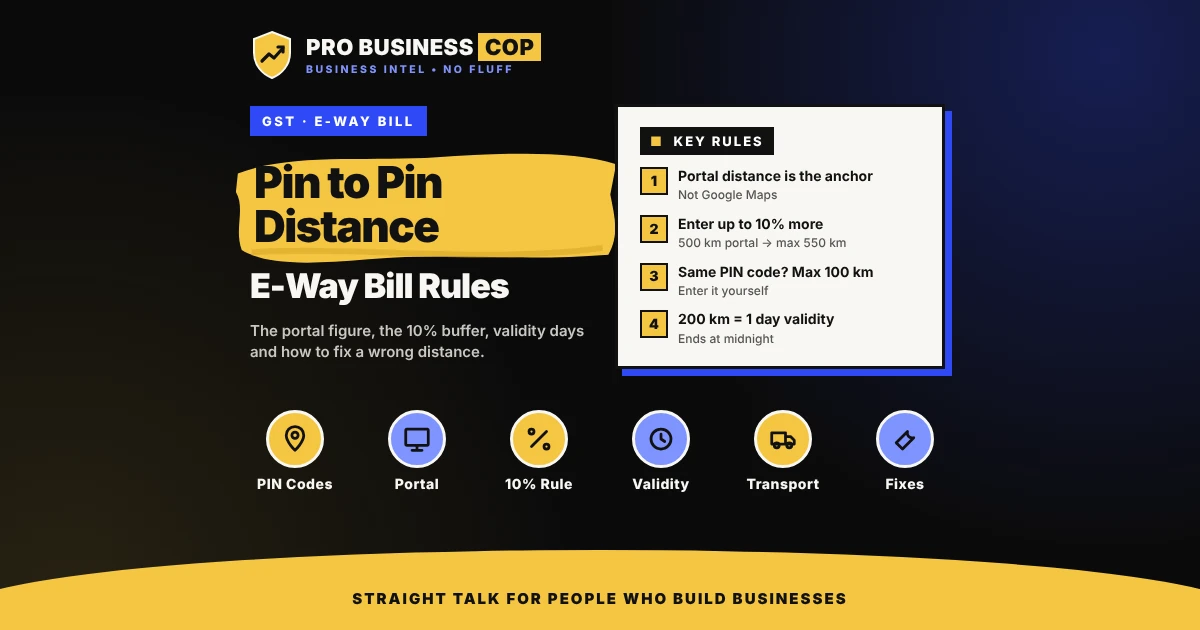
So the two numbers rarely match, and the portal enforces one rule: you can enter up to 10% more than its calculated distance, and no more.
| Portal shows | Maximum you can enter | If you enter Google’s 570 km |
|---|---|---|
| 500 km | 550 km | ❌ Rejected |

What to do: treat the portal figure as the anchor. If your actual route is longer, enter the real figure as long as it stays within the 10% buffer. If your route is even longer than that, enter the maximum allowed and plan the trip so the goods arrive within validity.
A third-party pin to pin distance calculator mostly uses Google Maps data. They are useful for route planning and fuel estimates, but not as the number you type into the e-way bill. Routes with toll plazas often run longer than the portal’s figure; if you track tolls for expenses, the same trip shows up in your toll and FASTag records, which is a quick way to see the real distance your vehicles drive.
E-Way Bill Validity: How Distance Turns Into Days
Once the e-way bill distance is set, the e-way bill validity follows a fixed formula under Rule 138 of the CGST Rules:
- Normal cargo: 1 day for every 200 km or part of it.
- Over-dimensional cargo (ODC): 1 day for every 20 km or part of it.
“Part of it” matters. 200 km is 1 day, but 201 km is 2 days.
The midnight rule most people miss
A “day” here does not mean 24 hours from generation. Validity runs until midnight of the day after the bill is generated, and each further day adds another midnight.
Example: you generate a 1-day e-way bill at 3 p.m. on Monday. It stays valid until 11:59 p.m. on Tuesday, not 3 p.m. Tuesday. Generate the same bill at 11 p.m. Monday, and it still expires at midnight Tuesday, which leaves the driver far less time.
| Route (approximate road distance) | Distance | Normal cargo validity |
|---|---|---|
| Pune to Mumbai | about 150 km | 1 day |
| Delhi to Jaipur | about 280 km | 2 days |
| Ahmedabad to Mumbai | about 530 km | 3 days |
| Surat to Delhi | about 1,150 km | 6 days |
| Delhi to Mumbai | about 1,420 km | 8 days |
Distances are approximate road figures for illustration. Always use the portal’s figure for your exact PIN codes.

For ODC, the numbers change fast: a 45 km movement of an oversized machine part needs 3 days of validity, because each 20 km or part of it counts as a day.
Special Cases: Same PIN Code, New PIN Codes and Long Routes
- Same PIN code for dispatch and delivery: the portal can’t calculate a distance between identical PINs, so you enter it yourself, up to 100 km. A shop delivering across town in the same PIN area might enter 8 km.
- Invalid or new PIN codes: if a PIN isn’t in the portal’s master, it may show an invalid PIN warning but let you enter the distance yourself. These bills can be flagged for review, so double-check the PIN before you continue.
- Very long routes: the declared distance can’t exceed 4,000 km.
- Bill-to/ship-to deals: use the ship-to PIN, where the goods physically go, not the billing address.
- Multiple deliveries from one truck: each consignment needs its own e-way bill with its own destination PIN and distance.
Entered the Wrong Pin to Pin Distance? Here’s What to Do
The distance can’t be edited once the e-way bill is generated. Your options depend on the problem:
- Wrong distance, goods not yet moved: cancel the e-way bill within 24 hours of generation, provided it hasn’t been verified in transit, and generate a fresh one with the correct distance.
- Distance was right, but the trip is running late: request an extension of validity. It can be requested within a window of about 8 hours before or after expiry, with the reason (for example, a vehicle breakdown or a road closure).
- Truck changed mid-way: update Part B with the new vehicle number. This doesn’t change the distance or validity.
What you should not do is let goods keep moving on an expired e-way bill. If a vehicle is stopped with an invalid or expired bill, the goods can be detained under Section 129 of the CGST Act, with penalties attached.

E-Way Bill Rules Every Business Should Know Now
The e-way bill distance rules aren’t the only ones that have shifted. Two recent changes affect every business that ships goods:
- Document age limit: an e-way bill can’t be generated for an invoice or document older than 180 days. Old stock transfers or delayed dispatches need fresh documents.
- Extension cap: an e-way bill can’t be extended beyond 360 days from its original generation.
The basic threshold for an e-way bill is a consignment value above ₹50,000, though some states set different limits for movement within the state. Check your state’s rule before skipping an e-way bill on a local delivery.
Clean e-way bill records also help when the tax department compares your data across systems. Mismatches don’t stay in one place; a GST gap can surface later in income tax checks, which is why it helps to know what to do if a tax notice arrives.
A 60-Second Distance Check Before Every E-Way Bill
Here’s the routine the Pro Business Cop team would hand to any billing desk. It takes a minute and prevents most rejections:
- Confirm the two PINs: dispatch point and ship-to point, not the registered offices.
- Check the portal distance for those PINs.
- Add your route buffer: if the real road is longer, enter up to 10% more, never beyond.
- Work out validity: divide by 200 (or 20 for ODC) and round up.
- Check the clock: validity ends at midnight, so late-night generation leaves less driving time.
- Send papers with the driver: a copy of the invoice and the e-way bill number.

If your team generates dozens of e-way bills a day, billing or ERP software that pulls distance automatically saves time and mistakes. Our small business tool stack lists the software categories worth comparing.
Frequently Asked Questions
How do I find the pin to pin distance for an e-way bill?
Use the P2P distance tool on the official e-way bill portal. Enter the dispatch and delivery PIN codes, and the portal shows the distance it will accept as the base figure.
Can I enter more distance than the portal shows?
Yes, up to 10% more than the portal’s calculated distance. For example, if the portal shows 300 km, you can enter up to 330 km.
What if the dispatch and delivery PIN codes are the same?
The portal can’t calculate a distance between identical PIN codes, so you enter it yourself. The maximum allowed is 100 km.
How many days is an e-way bill valid for 500 km?
For normal cargo, 3 days. 500 km divided by 200 is 2.5, and any part of 200 km counts as a full day. Validity ends at midnight of the last day.
Can I change the distance after generating the e-way bill?
No. If the distance is wrong, cancel the bill within 24 hours (if it hasn’t been verified in transit) and generate a new one.
Is the Google Maps distance accepted in an e-way bill?
Only if it is within 10% of the portal’s own calculated distance. If Google’s figure is higher than that, the portal rejects it.
E-way bill mein distance kaise nikale?
E-way bill portal par P2P Distance tool kholiye, source aur destination PIN code daliye, aur jo distance dikhe use base maniye. Actual route lamba ho to aap 10% tak zyada daal sakte hain, usse zyada nahi.
Get the Distance Right, and the Rest Follows
A correct pin to pin distance decides whether your e-way bill is accepted, how long it lasts, and whether a truck reaches on time. Start with the portal figure, use the 10% buffer wisely, and watch the midnight rule.
- Want more practical business calculators and checklists? Browse our Tools guides.
- Freight eating into your margin? Run your numbers through the break-even calculator to see what each delivery really costs.
- Stuck on a rejected e-way bill? Describe the problem in Ask the Cop, leaving out your GSTIN and invoice numbers.
Disclaimer
This guide is general information about e-way bill distance rules, not tax or legal advice. Distances in the examples are approximate. GST rules, portal features and state thresholds can change, so confirm current rules on the official e-way bill and GST portals. This guide is independent of GSTN, NIC and every software provider. Read our full disclaimer.
