


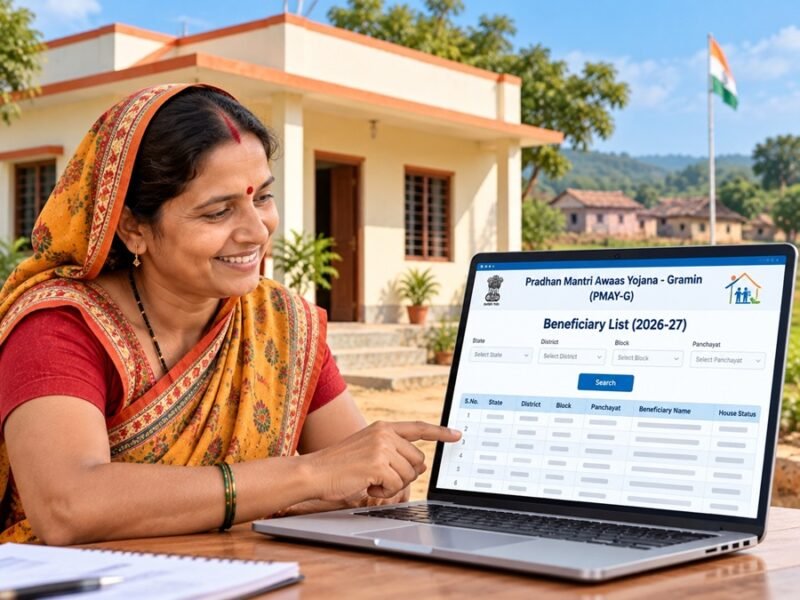
Thousands of rural families search for the pmayg nic in 2026-27 list every day. They want a simple answer: is my name on the list, and what happens next? The trouble is that many websites, videos, and social media posts give confusing or wrong information.
This guide from Pro Business Cop shows you how to check PMAY-G beneficiary information safely, using official government sources only. You will learn:
- How to use the official PMAY-G website step by step
- How a beneficiary list differs from application status and eligibility
- What to do if your name is missing or the website gives no results
Important note: This article does not claim that the 2026–27 PMAY-G beneficiary list has been published. List availability, report options, and website menus can change. Always confirm the latest status on the official PMAY-G portal at https://pmayg.nic.in/ before you take any action.
Quick Answer: Where to Check the PMAY-G List
If you only need the short version, here it is:
- Open the official website: https://pmayg.nic.in/
- Look for the reports, beneficiary details, or stakeholder sections.
- Select your state, district, block, and Gram Panchayat if the report asks for them.
- Use your registration number if a search option for it is available.
- If you cannot find your name, contact your Gram Panchayat or Block Development Office.
The sections below explain each step in simple language.
What Is PMAY-G?
Full Form and Purpose
PMAY-G stands for Pradhan Mantri Awaas Yojana-Gramin. It is a Government of India rural housing scheme run under the Ministry of Rural Development. The scheme supports eligible rural households in building a pucca house.
The official website for the scheme is pmayg.nic.in. This website holds scheme information, reports, and tools related to beneficiaries.
Who Usually Checks the PMAY-G List?
People search for the PMAY-G list for different reasons:
- Applicants want to know if their household appears in official records.
- Existing beneficiaries want to track approval, installments, or construction progress.
- Family members often check on behalf of parents or relatives who are not comfortable using a phone or computer.
In short, PMAY-G is a government housing scheme, and its official records are available through the PMAY-G portal.
Beneficiary List vs Application Status vs Eligibility
Many people mix up these three terms. They are not the same, and knowing the difference can save you a lot of worry.
|
Term |
What It Means |
What It Does Not Mean |
|---|---|---|
|
Beneficiary list |
Names or household records shown in official PMAY-G reports |
It does not always mean money has been released |
|
Application or assistance status |
The stage your case has reached, such as approval, installment, or construction progress |
It does not decide whether you are eligible |
|
Eligibility |
Whether your household meets the scheme rules set by the government |
It does not guarantee your name will appear on a list right away |
Why This Difference Matters
Seeing your name in a record is a good sign, but it is not a final promise. Your case may still need verification, approval, or other official steps. Likewise, being eligible does not mean your name will show up immediately.
Always read what the record actually says. If you are unsure, ask your Gram Panchayat or block office to explain it.
How to Use the Official PMAY-G Website
Start With the Correct Address
The official PMAY-G website is:
Many people type searches like www pmayg nic in list or pmayg gov in into Google. These searches can lead to many unofficial pages. Before you enter any detail, check the website address in your browser bar carefully. It should match the official address exactly.
Sections to Look For
Website menus can change over time, so the exact names may differ. On the official portal, look for areas such as:
- Reports or Awaassoft related sections
- Beneficiary details or verification reports
- Stakeholders options, which may include beneficiary search tools
- Scheme information, guidelines, or notices
- Help, contact, or grievance information
If you cannot find a section, do not click random links from other websites. Go back to the homepage and explore slowly.
Tips for First-Time Internet Users
- Use a phone or computer with a stable internet connection.
- Turn on desktop mode in your mobile browser if the page looks broken.
- Rotate your phone sideways to see wide tables.
- Take a screenshot of your result for your records.
- Ask a trusted family member, Common Service Centre (CSC) operator, or local official for help if you feel confused.
What Details You May Need
Keep these details ready before you start. This makes the search faster and reduces mistakes.
Common Search Details
- State
- District
- Block
- Gram Panchayat or village name
- Registration or reference number, if you have one
- Correct spelling of the applicant’s name as written in official records
Where to Find Your Registration Number
Your registration number may appear on application papers, sanction documents, or messages you received during the process. If you cannot find it, your Gram Panchayat or block office can usually help.
Stay Safe While Entering Details
- Enter details only on the official government website.
- Never share your OTP with anyone.
- Never post your Aadhaar number, bank account number, or OTP in comment sections, social media groups, or public forums.
- Do not pay any agent who promises to “add your name” to the list. Approval follows official rules, not payments to middlemen.
How to Check Beneficiary Details on the Official Portal
The official PMAY-G portal may offer more than one way to search. Use whichever option is available at the time you visit.
Option 1: Location-Based or Village-Wise Report
This option is useful if you do not have a registration number.
- Open https://pmayg.nic.in/.
- Go to the reports or beneficiary-related section.
- Look for a report that shows beneficiary details by location.
- Select your state, district, block, and Gram Panchayat.
- Choose the financial year if the form asks for it.
- Fill in the verification code if one appears on the screen.
- Submit the form and read the results carefully.
Check names, father’s or husband’s names, and village details. Spellings in government records may differ slightly from what you expect.
Option 2: Search Using a Registration Number
If the portal offers a search by registration number:
- Open the official PMAY-G website.
- Look for a beneficiary search option, often found under stakeholder-related menus.
- Type your registration number carefully.
- Complete any verification step shown.
- Submit and review the details.
The result may show your household details and the stage of your case. Remember that a record appearing on screen does not mean payment is instant.
What If the 2026–27 Option Is Not Visible?
Sometimes the year you want may not appear in the dropdown. This may mean the data has not been updated yet or is available in a different report. In that case:
- Check again after some days.
- Look at official notices on the portal.
- Ask your Gram Panchayat whether the list for your village has been shared locally.
Do not trust websites that claim to show a “new list” that you cannot find on the official portal.
How to Check Application or Housing Assistance Status
What Status Information May Show
Depending on what the official portal provides, your status record may include:
- Your household’s beneficiary record
- Sanction or approval details
- Installment or payment-related progress
- House construction stage
How to Read Your Status
- Name found, no sanction details: Your case may still be under review or awaiting approval.
- Sanction shown, no payment yet: Payment may depend on further verification or bank and Aadhaar-linked details being correct.
- Payment delay after construction work: Construction progress may need official verification before the next payment.
If any detail looks wrong, such as a misspelled name or a wrong bank detail, report it to your Gram Panchayat or Block Development Office. Do not try to “fix” it through unofficial agents.
What to Do If Your Name Is Missing From the List
A missing name can feel stressful, but it does not always mean you have been rejected. Work through these steps calmly.
Step 1: Recheck Your Search
- Did you select the correct state, district, block, and Gram Panchayat?
- Did you choose the right financial year?
- Did you type the registration number correctly?
- Are you on the official pmayg.nic.in website?
Step 2: Understand Possible Reasons
Your name may not appear because:
- Records for your area have not been updated yet
- Your case is still under verification
- You are checking the wrong type of report
- Your name is spelled differently in official records
- The 2026–27 data may not be available online yet
Step 3: Ask for Help Locally
Follow this order:
- Gram Panchayat office — ask them to check your household record.
- Village secretary or rural development official at the Panchayat level.
- Block Development Office (BDO) — submit a written request with your details and keep a copy.
- Official grievance channels — use the help or grievance information shown on government portals.
Always keep copies of any letter or complaint you submit. Write down the date and the name of the official you met.
Common Problems and Simple Solutions
Website Not Opening
- Check your internet connection.
- Try again at a different time, as government websites may be busy.
- Try another browser, such as Chrome or Firefox.
- Do not switch to a copy of the site on an unknown website.
No Results Found
- Recheck every dropdown selection.
- Try a different financial year or report type.
- Try the registration number search if you have the number.
Page Looks Broken on Mobile
- Turn on desktop mode.
- Rotate your phone.
- Zoom out to see the full table.
Captcha or Verification Code Not Working
- Refresh the code and type it again carefully.
- Check for capital and small letters.
Confusing or Incomplete Information
- Compare it with official notices on the portal.
- Ask your Gram Panchayat or block office to explain.
- Avoid relying on WhatsApp forwards or YouTube videos alone.
Most search problems come from small input mistakes, so recheck first before assuming the worst.
How to Identify Official Sources and Avoid Unofficial Websites
Signs of an Official Website
- The address matches https://pmayg.nic.in/ exactly.
- The site belongs to a government domain such as .nic.in or .gov.in.
- It does not ask you to pay money to see the list.
- It does not push you to install unknown apps.
Signs of an Unofficial or Risky Website
- Claims like “New list released, check now!” without official proof
- Many pop-up ads or forced downloads
- Requests for your OTP, bank PIN, or password
- Agents offering to “confirm approval” for a fee
Trusted Places for PMAY-G Updates
- PMAY-G official website: https://pmayg.nic.in/
- Ministry of Rural Development: https://rural.gov.in/
- Your Gram Panchayat and Block Development Office
Third-party blogs, including this one, can guide you. However, the final word always comes from official government sources.
FAQs About PMAYG NIC In 2026-27 List
How can I check the pmayg nic in 2026-27 list?
Visit the official website at https://pmayg.nic.in/ and use the available report or beneficiary search options. Select your location details and financial year. If the 2026–27 option is not visible, check again later or ask your Gram Panchayat.
Is pmayg gov in the official website?
People often search for pmayg gov in, but the official PMAY-G website address is pmayg.nic.in. Always check the address bar before entering any details.
Can I check PMAY-G status without a registration number?
Yes, in many cases. You can try a location-based report by selecting your state, district, block, and Gram Panchayat. You can also visit your Gram Panchayat or block office for help.
Does seeing my name on the list mean my house is approved?
Not always. A beneficiary record, approval, and payment are different stages. Check your full status or confirm with local officials.
What should I do if my name is missing from the PMAY-G list?
Recheck your search details first. Then contact your Gram Panchayat and, if needed, the Block Development Office. Keep copies of any written request you submit.
Is the 2026–27 PMAY-G list already published?
Check the official PMAY-G portal for the latest update. This article does not confirm publication. Rely only on official government sources for this information.
Should I share my Aadhaar or bank details in comments to get help?
No. Never share your Aadhaar number, bank details, or OTP in comments, social media, or with unknown people. Share documents only with authorized officials through proper channels.
Conclusion
Checking the pmayg nic in 2026-27 list does not have to be confusing. Start with the official website, keep your location and registration details ready, and read your results carefully. Remember that a beneficiary list, application status, and eligibility are three different things. A name on a list is a good sign, but it is not a guarantee of instant approval or payment.
If your name is missing, stay calm. Recheck your search, then reach out to your Gram Panchayat or Block Development Office. Avoid agents and unofficial websites that promise quick results.
Your next step is simple: open https://pmayg.nic.in/ today, find the report or beneficiary section, and check your record with the details you have. For more easy guides on government services and official portals, keep following Pro Business Cop. If you found this guide helpful, you may also want to read our step-by-step guide on GST portal login, learn about the latest updates on the 8th Pay Commission for government employees, or understand how to respond to an income tax demand notice under Section 143(1).
